

replacement laptop ac adapter
replacement laptop ac adapter
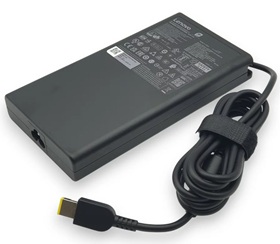


Brand new For Lenovo ADL300SDC3B AC adapter for Lenovo Legion Pro RTX5080/RTX5090 Gaming Notebook.
This is a New Rpelacement For Lenovo ADL300SDC3B AC Adapter Power Supply for the following notebooks / laptops:
For Lenovo IdeaPad Pro 5/5i RTX 3050 3060 3070 4060 4070 4080 4090 Series, Lenovo IdeaPad Pro 5/5i Gen 8 16-inch models Series, Lenovo Legion Pro 7i / Legion Pro 7 RTX 3050 3060 3070 RTX 4070 Series, Lenovo ThinkPad R9000P R9000K Y9000K Y9000X Series, Legion 5 5pro, Legion 7 YOGA AIO 7, Legion 5 15", Legion 5 17", Legion 5 Pro 16", Legion 7 16". Legion 7 16ACH6 16ITHg6 16ACHg6 ,Legion 5 Pro 16ITH6H 16ACH6H, Legion 5 17ITH6H 17ACH
See the Label on the bottom of your Laptop to determine which AC Adapter your Laptop uses.
The For Lenovo ADL300SDC3B Charger is also Compatible Part Numbers:ADL300SLC3B,
ADL300SDC3B,
ADL300SCC3B
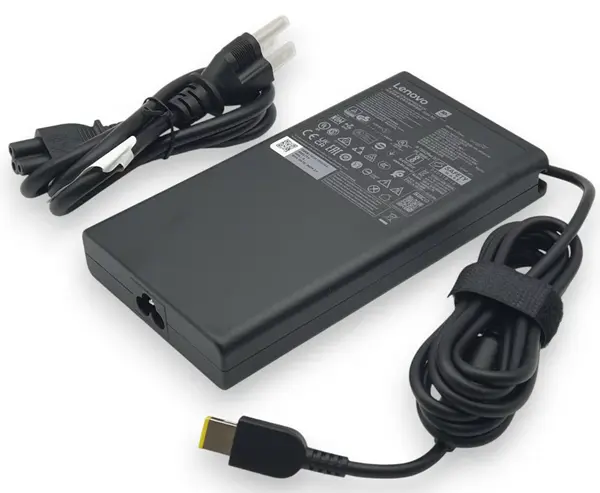
The Adapter is a 300W rated power supply and replaces Lenovo ADL300SDC3B laptop charger. Designed to meet Lenovo's original specifications. The Replacement Lenovo AC Adapter is designed to be 100% manufacturer compatible and will meet OEM specifications.
Here are some tips for better maintenance of AC Adapter.
©2012-2025. www.laptopadaptershop.com.au All offers and prices are subject to change without prior notice.Designated trademarks and brands are the property of their respective owners.