

FSP power supply
FSP power supply
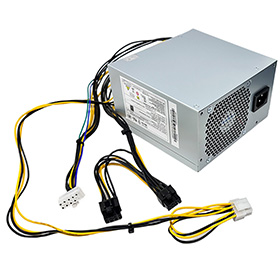

Brand new FSP750-75AGPAA 750W computer power supply .All power supplies are tested by our in house technicians and they are guaranteed to function properly.
Please make sure that you are ordering the correct power supply. All of the compatible models listed below come in different sizes and each size has a different power supply. Please check the part #'s, pictures and specifications carefully to make sure that you are ordering the correct power supply.
Server Power Supplies For Lenovo
Model fsp750-75agpaa
Maximum power: 750W
With graphics card 8p interface
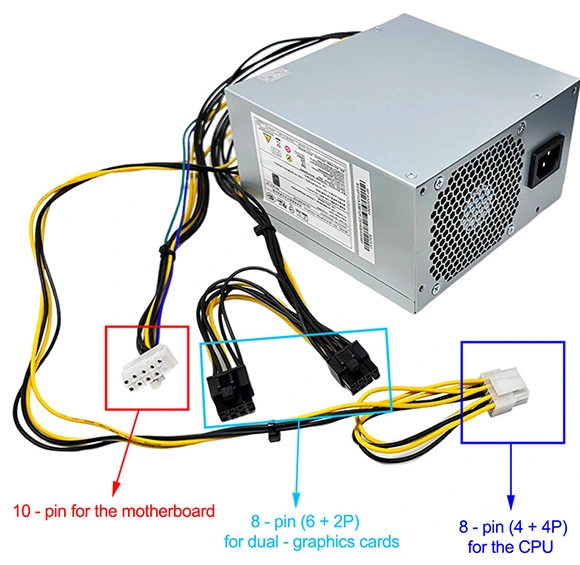
Power interface: motherboard 10 pin, CPU 8 pin, graphics card dual 8 pin
General model: HK350-12PP PCEO26 FSP250-30AGBAA
FSP400-40AGBAA FSP500-40AGBAA
FSP600-60AGPAA PA-3311-1, etc.
PSU For 10Pin 750W Power Supply FSP750-75AGPAA HK280-72PP PA-2181-2 PCG010 FSP180-20TGBAB FSP210-20TGBAB PCK014
1.Remove the dead pc power supply Once you've disconnected all the leads, look at the rear of the case and find the three or four screws holding the power supply in place. Remove them, then gently lift out the PS, making sure that the cabling doesn't get tangled on, say, a RAM module or expansion card and accidentally pull it loose.
2. Install the new FSP FSP750-75AGPAA Pc power supply Out with the old, in with the new. Make sure the replacement Pc power supply is set to the correct voltage. Once the old PS is out, put the new one in its place and screw it in. Now just reverse the steps you performed: connect the leads to their respective outlets, replace any extracted components, and consult your photos to make sure you've left no lead unplugged. (You'd be surprised how easy it is to forget, say, the DVD lead, especially when you've spent 10 minutes trying to wedge in that pesky front-panel lead.)
3. Fire it up Before you close up the case, make sure everything works. Connect the power cord to the Pc power supply, plug in your monitor and keyboard, and fire up the machine. Unless you've failed to connect the main leads to the motherboard, it should come right to life, just like before. Let it boot completely, then check to make sure there's power to the optical drive(s) and, if applicable, the front panel.
©2012-2025. www.laptopadaptershop.com.au All offers and prices are subject to change without prior notice.Designated trademarks and brands are the property of their respective owners.