

replacement laptop batteries
replacement laptop batteries
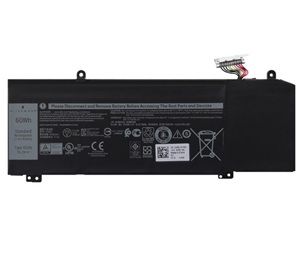

Brand new JJPFK Battery For Dell Alienware M15 M17 R1 P79F G5 15 5590 G7 7590 7790.For Dell JJPFK Battery is a high-quality replacement for your original battery, which meets all technical requirements for reliability and security. All laptop batteries have passed FCC, CE and Rohs safety certifications.Each battery is individually tested before shipment and backed by 60 day complete satisfaction guarantee and a 1 Year warranty.
New JJPFK Laptop Battery For Precision 5680 Series JXM4G F5HR2 9FTVV
Compatible Part Number:
1F22N,
01F22N,
JJPFK,
0JJPFK,
HYWXJ,
0HYWXJ,XRGXX
Guaranteed to work on the following model:
DELL G5 15-5590
DELL G7 17-7590
DELL G7 17-7790
DELL G5 5590
DELL G7 7590
DELL G7 7790
ALIENWARE M15
ALIENWARE M17
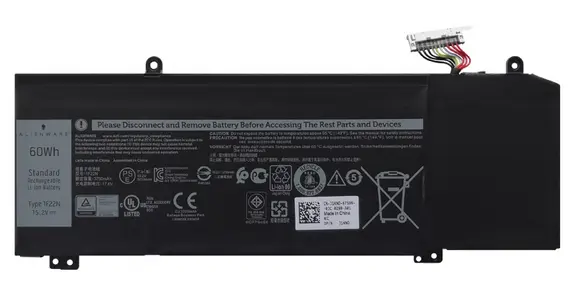
This Dell JJPFK 15.2V 60Wh Battery was made in accordance with original battery specifications, Certified by international standards, this battery offers a reliable and high-quality replacement option. Buy with confidence knowing that you're getting a product that will keep your device running smoothly.
1.Firstly, turn off the laptop. Be sure that the laptop is not connected to a charging slot and is shut down before you start.
2.Secondly, disconnect the connection that is between the motherboard and the old battery. This will ensure that there is no accident during disassembly.
3.Next, remove the battery first. Unscrew it very slowly and cautiously.
4.Lastly, connect the new Dell JJPFK Laptop Battery carefully to the motherboard.
©2012-2026. www.laptopadaptershop.com.au All offers and prices are subject to change without prior notice.Designated trademarks and brands are the property of their respective owners.