

For Acer Laptop Battery
For Acer Laptop Battery
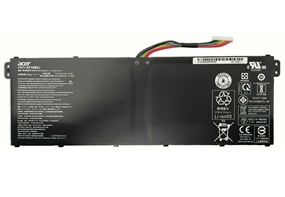

Brand new AP16M5J Battery for Acer Aspire 1 A114-31 For Aspire 3 A315-21 A315-51 A515-51. For Acer AP16M5J Battery is a high-quality replacement for your original battery, which meets all technical requirements for reliability and security. All Acer laptop batteries have passed FCC, CE and Rohs safety certifications.Each battery is individually tested before shipment and backed by 60 day complete satisfaction guarantee and a 1 Year warranty.
Our Laptop Batteries offers a wide range of Li-ion quality laptop batteries that are FCC, RoHS and CE certified.Brand New Battery For Acer AP16M5J, ensures fast charging and low power consumption, Built-in circuit protection ensures both safety and stability.
Compatible Part Number::
AP16M5J,
KT.00205.004,
KT00205004,
KT.00205.005,
KT00205005,
2ICP4/80/104
Guaranteed to work on the following model:
For Acer Aspire 1 A114-31 Series:
A114-31-C4HH A114-31-C0GD A114-31-C1HU A114-31-C76W
A114-31-C3B7 A114-31-C3E6 A114-31-C44C A114-31-C4TY A114-31-C4ZV
A114-31-C5Z2 A114-31-C6FA A114-31-C8PT A114-31-C934
A114-31-P12W A114-31-P9Y1 P52J A114-31-C5GM
For Acer Aspire 3 A314-31 Series:
A314-31-C0SG A314-31-COSG A314-31-C12Q
A314-31-P2HJ A314-31-C514 A314-31-C4Z5
For Acer Aspire 3 A315-21 Series:
A315-21-95KF A315-21-95KF-US
For Acer Aspire 3 A315-51 Series:
A315-51-51SL A315-51-380T A315-51-31GK
A315-51-31RD A315-51-51B0 A315-51-580N A315-51-35LM A315-51-582F
For Acer Aspire 5 A515-51 Series:
A515-51-75UY A515-51-563W A515-51-50RR
A515-51-53TH A515-51-55NB
For Acer Aspire ES1-523 Series:
ES1-523-24CW ES1-523-20DG ES1-523-68NA ES1-523-44LU ES1-523-2342
Acer Nitro Series
Nitro V 15 ANV15-51
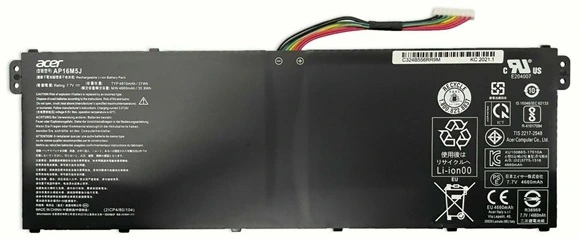
This Acer AP16M5J 7.7V 37Wh Battery was made in accordance with original battery specifications, Certified by international standards, this battery offers a reliable and high-quality replacement option. Buy with confidence knowing that you're getting a product that will keep your device running smoothly.
1.Firstly, turn off the laptop. Be sure that the laptop is not connected to a charging slot and is shut down before you start.
2.Secondly, disconnect the connection that is between the motherboard and the old battery. This will ensure that there is no accident during disassembly.
3.Next, remove the battery first. Unscrew it very slowly and cautiously.
4.Lastly, connect the new Acer AP16M5J Laptop Battery carefully to the motherboard.
©2012-2025. www.laptopadaptershop.com.au All offers and prices are subject to change without prior notice.Designated trademarks and brands are the property of their respective owners.