

replacement laptop ac adapter
replacement laptop ac adapter


Brand New Replacement 240W 19.5V 12.31A Dell LA240PM190 AC Adapter/Power Supply/Charger With Laptop Cord.
Compatible Models:
For
Alienware Series:
x15 R1, M15, M17x R1/R2/R3, M18x R1/R2, x17 R1, x17 R2, 15 R2, 15 R3, 15 R4, 17 R2, 17 R3, 17 R4
Precision Series:
M4600, M4700, M4800, M6600, M6700, M6800, 7510, 7520, 7710, 7720, 7730, 7740
XPS Series:
XPS 15 9560 (with NVIDIA GTX 1050), XPS 15 9570, XPS 17 9700 (optional 240W upgrade)
Inspiron Series:
Inspiron 15 7000 Gaming Series 7567 (optional 240W upgrade)
G-Series Gaming Laptops:
G3 15, G5 15, G7 15 (higher-end models that accept 240W adapters)
Docking Stations:
Dell Thunderbolt Dock TB16 (certain configurations requiring 240W AC Adapter)
Compatible Part Number:
DA240PM190,
LA240PM190,
HA240PM190,
ADP-240AB FA,
0CTX6T,
0D0X04,
0PHF5J
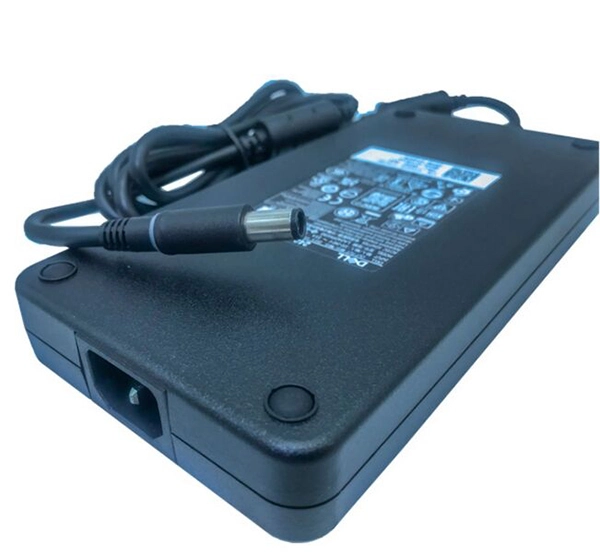
The Adapter is a 240W rated power supply and replaces dell LA240PM190 laptop charger. Designed to meet Dell's original specifications. The Replacement Dell AC Adapter is designed to be 100% manufacturer compatible and will meet OEM specifications.
Here are some tips for better maintenance of AC Adapter.
©2012-2025. www.laptopadaptershop.com.au All offers and prices are subject to change without prior notice.Designated trademarks and brands are the property of their respective owners.