Product Details
Compatible Models:
For
For Dell Pro Max 16 Plus MB16250/for Dell Pro Max 18 Plus MB18250/ for Dell Pro Max with GB10 FCM1253
Compatible Part Number:
DA280PM240,
HA280PM240,
LA280PM240
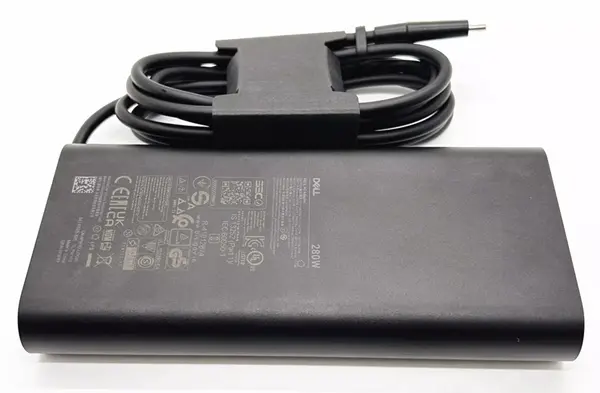
The Adapter is a 280W rated power supply and replaces dell HA280PM240 laptop charger. Designed to meet Dell's original specifications. The Replacement Dell AC Adapter is designed to be 100% manufacturer compatible and will meet OEM specifications.
- Brand new AC Adapter For Dell HA280PM240
- Quality Assurance : All laptop ac adapters have been 100% tested before shipment. Serious aging test for a few hours before packing to make sure reliable quality
- Safety Mechanisms to Prevent Short Circuiting, Overvoltage, Overcurrent, and Internal Heating.
- Laptop adapter Warranty: 12 months within the warranty period, free replacement or refund.
- Professional packaging for laptop adapter :cardboard boxes, PE bags, brown box, PE bags to avoid any damage to the laptop Adapter.
- CE/FCC/RoHS Certified.
Here are some tips for better maintenance of AC Adapter.
- Always put first the DC output plug into the laptop's power jack before putting the input plug on the power outlet. This is the correct method.
- Switch off the Laptop AC power adapters when you are not using the laptop to prevent overheating.
- Don't shake or knock the adapter. Improper handling may break the internal parts and circuit boards.
- Keep your adapter in a dry place with room temperature. Just like other electronic devices, adapter can get damage cause by high temperature.
- Avoid the metal tip of the adapter from getting in contact with other metal objects because it can cause short-circuiting. Your laptop might get damage when a short-circuited charger is used.
- Never pull the cord to detach the plug from the power outlet because the wire might be slashed or loosened.